Manual.ly Logo

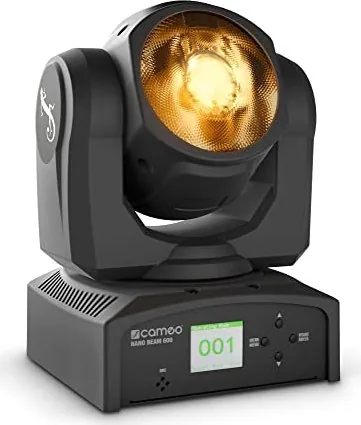
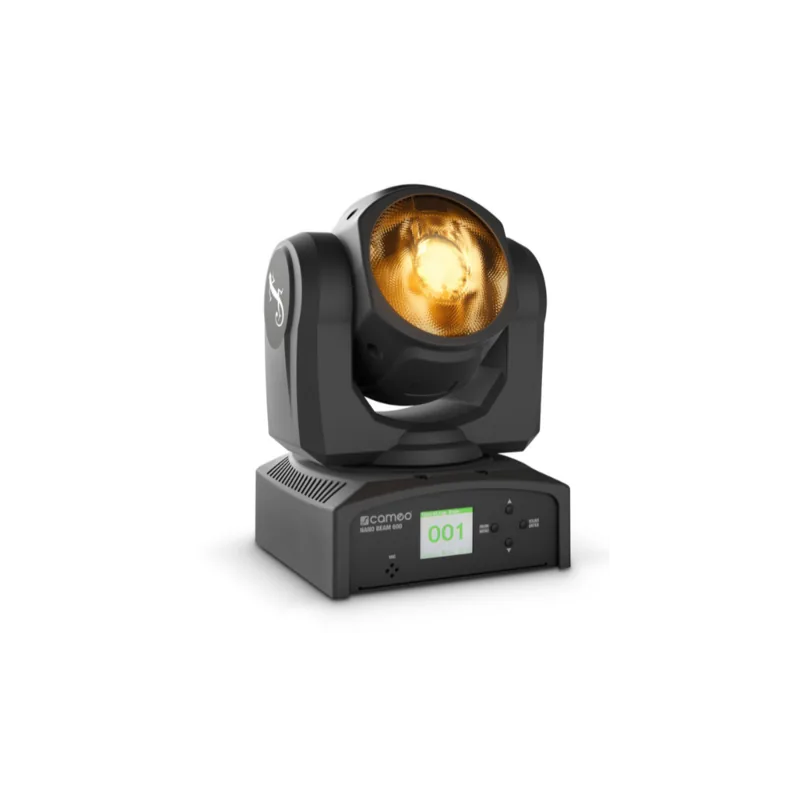
Cameo NanoBeam 600 Instrukcja-Obslugi

0,0 · 0 Oceny

Instrukcja PDF · 60 Strony

Polski

M: QW-35-FL
strona

/ 60

Loading...
d2e8693645882e14bd335bcca725faace1a0 page 3
3
DMX
DEUTSCHFRANCAIS
ESPAÑOL
ENGLISH
ITALIANO POLSKI
ENGLISH
YOU‘VE MADE THE RIGHT CHOICE!
We have designed this product to operate reliably over many years. Please read this User‘s Manual carefully, so that you can begin making
optimum use of your Cameo Light product quickly. Learn more about Cameo Light on our website WWW.CAMEOLIGHT.COM.
PREVENTIVE MEASURES
1. Please read these instructions carefully.
2. Keep all information and instructions in a safe place.
3. Follow the instructions.
4. Observe all safety warnings. Never remove safety warnings or other information from the equipment.
5. Use the equipment only in the intended manner and for the intended purpose.
6. Use only sufficiently stable and compatible stands and/or mounts (for fixed installations). Make certain that wall mounts are properly
installed and secured. Make certain that the equipment is installed securely and cannot fall down.
7. During installation, observ e the applicable safety regulations for your country.
8. Never install and operate the equipment near radiators, heat registers, ovens or other sources of heat. Make certain that the equipment is
always installed so that is cooled sufficiently and cannot overheat.
9. Never place sources of ignition, e.g., burning candles, on the equipment.
10. Ventilation slits must not be blocked.
11. This appliance is designed exclusively for indoor use, do not use this equipment in the immediate vicinity of water (does not apply
to special outdoor equipment - in this case, observe the special instructions noted below). Do not expose this equipment to flammable
materials, fluids or gases.
12. Make certain that dripping or splashed water cannot enter the equipment. Do not place containers filled with liquids, such as vases or
drinking vessels, on the equipment.
13. Make certain that objects cannot fall into the device.
14. Use this equipment only with the accessories recommended and intended by the manufacturer.
15. Do not open or modify this equipment.
16. After connecting the equipment, check all cables in order to prevent damage or accidents, e.g., due to tripping hazards.
17. During transport, make certain that the equipment cannot fall down and possibly cause property damage and personal injuries.
18. If your equipment is no longer functioning properly, if fluids or objects have gotten inside the equipment or if it has been damaged in
another way, switch it off immediately and unplug it from the mains outlet (if it is a powered device). This equipment may only be repaired
by authorized, qualified personnel.
19. Clean the equipment using a dry cloth.
20. Comply with all applicable disposal laws in your country. During disposal of packaging, please separate plastic and paper/cardboard.
21. Plastic bags must be kept out of reach of children.
FOR EQUIPMENT THAT CONNECTS TO THE POWER MAINS:
22. CAUTION: If the power cord of the device is equipped with an earthing contact, then it must be connected to an outlet with a protective
ground. Never deactivate the protective ground of a power cord.
23. If the equipment has been exposed to strong fluctuations in temperature (for example, after transport), do not switch it on immediately.
Moisture and condensation could damage the equipment. Do not switch on the equipment until it has reached room temperature.
24. Before connecting the equipment to the power outlet, first verify that the mains voltage and frequency match the values specified on the
equipment. If the equipment has a voltage selection switch, connect the equipment to the power outlet only if the equipment values and the
mains power values match. If the included power cord or power adapter does not fit in your wall outlet, contact your electrician.
25. Do not step on the power cord. Make certain that the power cable does not become kinked, especially at the mains outlet and/or power
adapter and the equipment connector.
26. When connecting the equipment, make certain that the power cord or power adapter is always freely accessible. Always disconnect the
equipment from the power supply if the equipment is not in use or if you want to clean the equipment. Always unplug the power cord and
power adapter from the power outlet at the plug or adapter and not by pulling on the cord. Never touch the power cord and power adapter
with wet hands.
27. Whenever possible, avoid switching the equipment on and off in quick succession because otherwise this can shorten the useful life of
the equipment.
28. IMPORTANT INFORMATION: Replace fuses only with fuses of the same type and rating. If a fuse blows repeatedly, please contact an
authorised service centre.
29. To disconnect the equipment from the power mains completely, unplug the power cord or power adapter from the power outlet.
30. If your device is equipped with a Volex power connector, the mating Volex equipment connector must be unlocked before it can be re-
moved. However, this also means that the equipment can slide and fall down if the power cable is pulled, which can lead to personal injuries
and/or other damage. For this reason, always be careful when laying cables.
31. Unplug the power cord and power adapter from the power outlet if there is a risk of a lightning strike or before extended periods of disuse.
32. The device must only be installed in a voltage-free condition (disconnect the mains plug from the mains).
33. Dust and other debris inside the unit may cause damage. The unit should be regularly serviced or cleaned (no guarantee) depending on
ambient conditions (dust etc., nicotine, fog) by qualified personnel to prevent overheating and malfunction.
34. Please keep a distance of at least 0.5 m to any combustible materials.
35. Power cables to power multiple devices must have a cross-section of at least 1.5 mm². Within the EU, the cables must correspond to
H05VV-F, or similar. Suitable cables are offered by Adam Hall. With these cables, you can connect multiple devices via the power OUT
connection to the power IN connection of an additional device. Make sure that the total current consumption of all connected devices does not
exceed the specified value on all connected devices (label on the device). Make sure to keep power cable connections as short as possible.

Rozmawiaj z instrukcją obsługi Cameo NanoBeam 600 dzięki AI

Otrzymuj natychmiastowe odpowiedzi AI z instrukcji obsługi Cameo NanoBeam 600

Zapytaj o Cameo NanoBeam 600. Odpowiedzi pochodzą z tej instrukcji, wraz ze stronami, na których są oparte.

NanoBeam 600 Harmonogram konserwacji

Regularnie
Serwisuj lub czyść urządzenie, aby usunąć kurz i zanieczyszczenia

Kurz i zanieczyszczenia mogą powodować uszkodzenia. Urządzenie powinno być regularnie serwisowane lub czyszczone przez wykwalifikowany personel w zależności od warunków otoczenia, aby zapobiec przegrzewaniu.

Pokaż w instrukcji (strona 3)
Przed czyszczeniem
Odłącz sprzęt od zasilania przed czyszczeniem

Zawsze odłączaj sprzęt od zasilania, jeśli chcesz go wyczyścić. Używaj suchej szmatki do czyszczenia.

Pokaż w instrukcji (strona 3)
M: qwen/qwen3.8-flash

Zadaj Pytanie

0/1000

Czy polecasz NanoBeam 600?

Tak Nie

Najczęściej zadawane pytania

A

Urządzenie obsługuje pięć odrębnych trybów DMX, od trzech kanałów do czternastu kanałów w zależności od konkretnych wymagań sterowania.

Czy ta odpowiedź była pomocna?

A

Nie, urządzenie jest zaprojektowane wyłącznie do użytku wewnątrz i nie powinno być narażane na działanie wody ani warunków na zewnątrz.

Czy ta odpowiedź była pomocna?

A

Użyj systemu menu, aby wybrać Tryb Dźwięku, a następnie Czułość Dźwięku, dostosowując wartość od zera do dziewięćdziesięciu dziewięciu za pomocą przycisków GÓRA i DÓŁ.

Czy ta odpowiedź była pomocna?

A

To urządzenie jest zaprojektowane do użytku na wysokości do dwóch tysięcy metrów n.p.m.

Czy ta odpowiedź była pomocna?

A

Tak, odpowiedni kabel zasilający IEC jest dołączony do opakowania produktu do natychmiastowego podłączenia.

Czy ta odpowiedź była pomocna?

A

Podłącz DMX OUT pierwszego urządzenia do DMX IN następnego urządzenia, aż wszystkie jednostki zostaną połączone szeregowo.

Czy ta odpowiedź była pomocna?

A

Tak, możesz odwrócić orientację wyświetlacza w Ustawieniach zaawansowanych dla scenariuszy montażu sufitowego lub wiszącego.

Czy ta odpowiedź była pomocna?

M: QW-35-FL

Zalety i Wady

Zalety

  • Potężny system LED RGBW quad o mocy 60 W dostarcza intensywne światło do wydarzeń.
  • Kompaktowy design ruchomej głowy oferuje szerokie możliwości pan i tilt dla wszechstronności.
  • Wbudowany mikrofon umożliwia automatyczne sterowanie ruchem poprzez czułość dźwięku.
  • Pięć odrębnych trybów DMX zapewnia elastyczność dla różnych potrzeb sterowania oświetleniem.
  • Zawiera uchwyt Omega i ucho zabezpieczające do łatwej i bezpiecznej instalacji.
VS

Wady

  • Montaż wiszący wymaga rozległego doświadczenia i profesjonalnych obliczeń konstrukcyjnych.
  • Jednostka zaprojektowana ściśle do użytku wewnątrz i nieodpowiednia na warunki na zewnątrz.
  • Łańcuch DMX jest ograniczony do trzydziestu dwóch jednostek ze względu na stabilność sygnału.
  • Zamiana bezpiecznika wymaga dokładnego typu i zgodnych specyfikacji wartości.
  • Szum wentylatora może być słyszalny w bardzo cichych środowiskach akustycznych.
M: QW-35-FL

Produkt Specyfikacja

Wzór wiązki

Wiązka

Źródło światła

LED

Zużycie mocy

60 W

Kąt wiązki

5°

Kąt PAN

540°

Kąt nachylenia

240°

Mieszanie kolorów

LED (RGBW)

Efekty

Przygasanie, Migotanie

Sterowanie

DMX (14 kanałów), Sterowanie dźwiękiem, Mistrz / Podrzędny

Wymiary

14,50 x 24,00 x 15,49 cm (SxWxG)

Waga

3,00 kg

M: QW-35-FL

Opis Produktu

Odkryj moc Cameo NanoBeam 600

Specjaliści i entuzjaści oświetlenia wiedzą, że niezawodność i wydajność są najważniejsze. Cameo NanoBeam 600 wyróżnia się jako kompaktowe rozwiązanie do oświetlenia scenicznego. Ten ruchomy reflektor posiada solidny system LED RGBW quad o mocy 60 W, który zapewnia intensywne światło. Dostarcza 140 000 lx w odległości jednego metra, zapewniając widoczność na dużych scenach. Dzięki wąskiemu kątowi wiązki 4,6 stopnia, tworzy ostre wiązki idealne do potrzeb podświetlania. Urządzenie jest przeznaczone do użytku wewnątrz i działa w szerokim zakresie napięcia od 100 do 240 V AC.

Eksploatacja i sterowanie

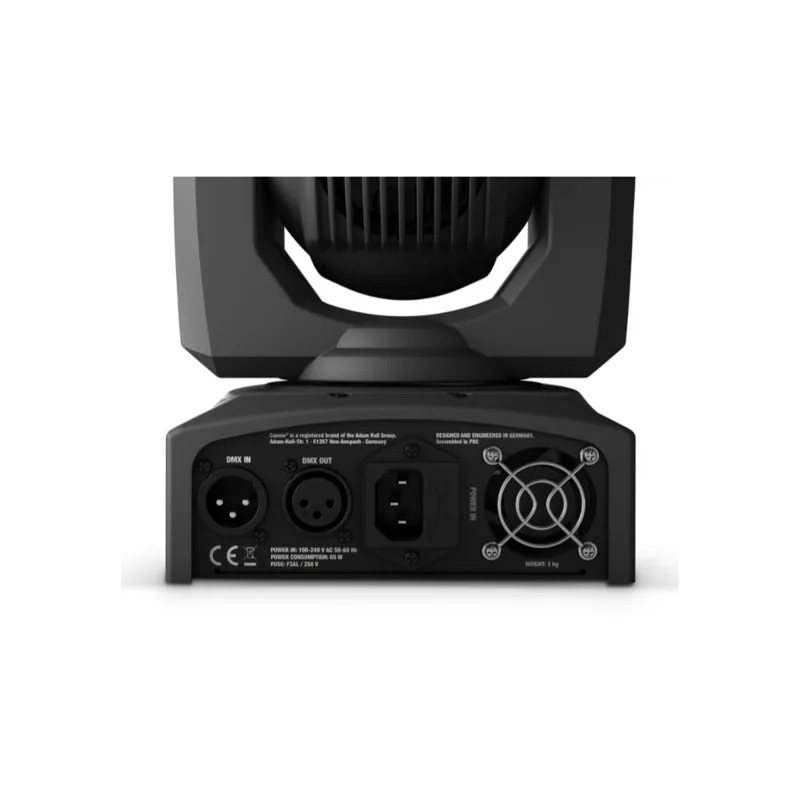
Opanowanie obsługi tego sprzętu jest kluczowe dla optymalnego użytkowania. Właściciele powinni zapoznać się z elementami sterowania umieszczonymi w obudowie. Wyświetlacz LC zapewnia wyraźną informację o aktywnych trybach i pełnej informacji systemu. Personel może nawigować przez ustawienia menu za pomocą dedykowanych przycisków do zmian wartości. Sterowanie DMX-512 umożliwia bezproblemową integrację z złożonymi układami oświetlenia. Dostępnych jest pięć odrębnych trybów DMX dla elastyczności podczas pokazów. Obejmują one od trzech kanałów do czternastu kanałów w zależności od dokładności sterowania. Działanie w master-slave umożliwia zsynchronizowane pokazy bez skomplikowanych konsol. Programy autonomiczne uruchamiają prekonfigurowane sekwencje kolorów i ruchu automatycznie.

Bezpieczeństwo i konserwacja

Właściwa instalacja zapewnia długowieczność i chroni inwestycję. Jednostka zawiera cichy wentylator chłodzący podczas pracy. Szczeliny wentylacyjne nigdy nie mogą być zablokowane, aby zapobiec przegrzaniu. Trzymaj urządzenie z dala od źródeł wody i materiałów łatwopalnych. Instalacja wymaga stabilnego sprzętu mocującego do bezpiecznego trzymania wagi w miejscu. Użyj dołączonego wysięgnika Omega do mocowania wzdłużnego na scenach. Zawsze zabezpiecz jednostkę kablem bezpieczeństwa, aby zapobiec upadkom. Nigdy nie uruchamiaj urządzenia bez sprawdzania kabli pod kątem uszkodzeń. Odłącz zasilanie przed czyszczeniem lub naprawą wewnętrzną.

Rozpoczęcie pracy i instalacja

Aby w pełni wykorzystać produkt efektywnie, zrozumienie podstawowych ustawień jest kluczem dla wszystkich nowych użytkowników. Możesz łatwo dostosować adresy startowe DMX za pomocą systemu menu. Sterowanie dźwiękiem poprzez wbudowany mikrofon dodaje dynamicznego ruchu na podstawie sygnałów basowych. Zaawansowane ustawienia pozwalają odwrócić kierunki pan lub tilt dla niestandardowego montażu. Orientacja wyświetlacza może być odwrócona dla scenariuszy montażu sufitowego. Zawsze przestrzegaj rygorystycznych wytycznych bezpieczeństwa, które znajdziesz, gdy uzyskasz dostęp do instrukcji Cameo NanoBeam 600 online dzisiaj. Gwarantuje to bezpieczeństwo i maksymalizuje czas życia Twojej inwestycji w technologię. Pamiętaj, aby uważnie sprawdzić lokalne wymagania dotyczące napięcia przed podłączeniem do sieci zasilającej. Ten krok zapobiega uszkodzeniom od nieprawidłowego napięcia wejściowego. Na koniec zachowaj opakowanie, aby chronić podczas transportu. Waga jest poniżej trzech kilogramów, co sprawia, że jest przenośne.

M: QW-35-FL

© Copyright 2026 Manual.ly