Manual.ly Logo

Cameo NanoSpot 300 Instrukcja-Obslugi

0,0 · 0 Oceny

Instrukcja PDF · 60 Strony

Polski

M: GO-GEM-FL-25
strona

/ 60

Loading...
0158e907e462386cfa987a389a04f937dc7d page 3
ITALIANOPOLSKIESPAÑOL
FRANCAISDEUTSCHENGLISH
3
DMX
ENGLISH
YOU‘VE MADE THE RIGHT CHOICE!
We have designed this product to operate reliably over many years. Please read this User‘s Manual carefully, so that you can begin making
optimum use of your Cameo Light product quickly. Learn more about Cameo Light on our website WWW.CAMEOLIGHT.COM.
PREVENTIVE MEASURES
1. Please read these instructions carefully.
2. Keep all information and instructions in a safe place.
3. Follow the instructions.
4. Observe all safety warnings. Never remove safety warnings or other information from the equipment.
5. Use the equipment only in the intended manner and for the intended purpose.
6. Use only sufficiently stable and compatible stands and/or mounts (for fixed installations). Make certain that wall mounts are properly installed and
secured. Make certain that the equipment is installed securely and cannot fall down.
7. During installation, observ e the applicable safety regulations for your country.
8. Never install and operate the equipment near radiators, heat registers, ovens or other sources of heat. Make certain that the equipment is
always installed so that is cooled sufficiently and cannot overheat.
9. Never place sources of ignition, e.g., burning candles, on the equipment.
10. Ventilation slits must not be blocked.
11. This appliance is designed exclusively for indoor use, do not use this equipment in the immediate vicinity of water (does not apply
to special outdoor equipment - in this case, observe the special instructions noted below). Do not expose this equipment to flammable
materials, fluids or gases.
12. Make certain that dripping or splashed water cannot enter the equipment. Do not place containers filled with liquids, such as vases or
drinking vessels, on the equipment.
13. Make certain that objects cannot fall into the device.
14. Use this equipment only with the accessories recommended and intended by the manufacturer.
15. Do not open or modify this equipment.
16. After connecting the equipment, check all cables in order to prevent damage or accidents, e.g., due to tripping hazards.
17. During transport, make certain that the equipment cannot fall down and possibly cause property damage and personal injuries.
18. If your equipment is no longer functioning properly, if fluids or objects have gotten inside the equipment or if it has been damaged in
anot her way, switch it off immediately and unplug it from the mains outlet (if it is a powered device). This equipment may only be repaired
by authorized, qualified personnel.
19. Clean the equipment using a dry cloth.
20. Comply with all applicable disposal laws in your country. During disposal of packaging, please separate plastic and paper/cardboard.
21. Plastic bags must be kept out of reach of children.
FOR EQUIPMENT THAT CONNECTS TO THE POWER MAINS:
22. CAUTION: If the power cord of the device is equipped with an earthing contact, then it must be connected to an outlet with a protective
ground. Never deactivate the protective ground of a power cord.
23. If the equipment has been exposed to strong fluctuations in temperature (for example, after transport), do not switch it on immediately.
Moisture and condensation could damage the equipment. Do not switch on the equipment until it has reached room temperature.
24. Before connecting the equipment to the power outlet, first verify that the mains voltage and frequency match the values specified on the
equipment. If the equipment has a voltage selection switch, connect the equipment to the power outlet only if the equipment values and the
mains power values match. If the included power cord or power adapter does not fit in your wall outlet, contact your electrician.
25. Do not step on the power cord. Make certain that the power cable does not become kinked, especially at the mains outlet and/or power
adapter and the equipment connector.
26. When connecting the equipment, make certain that the power cord or power adapter is always freely accessible. Always disconnect the
equipment from the power supply if the equipment is not in use or if you want to clean the equipment. Always unplug the power cord and
power adapter from the power outlet at the plug or adapter and not by pulling on the cord. Never touch the power cord and power adapter
with wet hands.
27. Whenever possible, avoid switching the equipment on and off in quick succession because otherwise this can shorten the useful life of
the equipment.
28. IMPORTANT INFORMATION: Replace fuses only with fuses of the same type and rating. If a fuse blows repeatedly, please contact an
authorised service centre.
29. To disconnect the equipment from the power mains completely, unplug the power cord or power adapter from the power outlet.
30. If your device is equipped with a Volex power connector, the mating Volex equipment connector must be unlocked before it can be re-
moved. However, this also means that the equipment can slide and fall down if the power cable is pulled, which can lead to personal injuries
and/or other damage. For this reason, always be careful when laying cables.
31. Unplug the power cord and power adapter from the power outlet if there is a risk of a lightning strike or before extended periods of disuse.
32. The device must only be installed in a voltage-free condition (disconnect the mains plug from the mains).
33. Dust and other debris inside the unit may cause damage. The unit should be regularly serviced or cleaned (no guarantee) depending on
ambient conditions (dust etc., nicotine, fog) by qualified personnel to prevent overheating and malfunction.
34. Please keep a distance of at least 0.5 m to any combustible materials.
35. Power cables to power multiple devices must have a cross-section of at least 1.5 mm². Within the EU, the cables must correspond to
H05VV-F, or similar. Suitable cables are offered by Adam Hall. With these cables, you can connect multiple devices via the power OUT con-
nection to the power IN connection of an additional device. Make sure that the total current consumption of all connected devices does not
exceed the specified value on all connected devices (label on the device). Make sure to keep power cable connections as short as possible.

Rozmawiaj z instrukcją obsługi Cameo NanoSpot 300 dzięki AI

Otrzymuj natychmiastowe odpowiedzi AI z instrukcji obsługi Cameo NanoSpot 300

Zapytaj o Cameo NanoSpot 300. Odpowiedzi pochodzą z tej instrukcji, wraz ze stronami, na których są oparte.

NanoSpot 300 Harmonogram konserwacji

Regularnie
Czyść obudowę urządzenia

Użyj suchej szmatki do czyszczenia urządzenia. Nie używaj mokrych szmatek.

Pokaż w instrukcji (strona 3)
Regularnie
Serwisuj i czyść jednostkę wewnętrzną

W zależności od warunków otoczenia, takich jak kurz lub dym, wykwalifikowany personel powinien regularnie serwisować i czyścić jednostkę, aby zapobiec przegrzaniu i awariom.

Pokaż w instrukcji (strona 3)
M: QW-35-FL

Zadaj Pytanie

0/1000

Czy polecasz NanoSpot 300?

Tak Nie

Najczęściej zadawane pytania

A

Używa pojedynczej chłodnej białej diody LED o mocy 30 W. Zapewnia to jasny, skupiony strumień światła, który dobrze sprawdza się w ostrych efektach wiązki, gobosach i pokazach z ruchomą głowicą w kompaktowych i średniej wielkości przestrzeniach.

Czy ta odpowiedź była pomocna?

A

Oprawa obsługuje sterowanie DMX, sterowanie pilotem IR, autonomiczne programy automatyczne, aktywację dźwiękiem przez wbudowany mikrofon oraz pracę master/slave. Dzięki temu nadaje się zarówno do prostych, jak i zaawansowanych konfiguracji.

Czy ta odpowiedź była pomocna?

A

Może pracować w trybie DMX 5-kanałowym, 9-kanałowym lub 11-kanałowym. Wybór trybu zależy od tego, jak dużą kontrolę chcesz mieć nad ruchem, kolorami, gobo, efektami i automatyzacją.

Czy ta odpowiedź była pomocna?

A

Tak. Możesz używać trybu autonomicznego, sterowania dźwiękiem lub dołączonego pilota na podczerwień. Konsoleta jest potrzebna tylko wtedy, gdy chcesz pełnego programowania DMX.

Czy ta odpowiedź była pomocna?

A

Tak, ale wyłącznie z użyciem dołączonego osprzętu montażowego i odpowiedniej linki bezpieczeństwa. Montaż nad głową powinien być wykonywany przez przeszkolony personel, aby zapewnić bezpieczne i pewne zawieszenie.

Czy ta odpowiedź była pomocna?

A

NanoSpot 300 oferuje ruch panoramy i pochylenia, zmiany kolorów, gobosy, stroboskop, ściemnianie oraz kilka wbudowanych programów pokazowych. Został zaprojektowany do szybkiego tworzenia żywych, dynamicznych efektów scenicznych.

Czy ta odpowiedź była pomocna?

M: GO-GEM-FL-25

Zalety i Wady

Zalety

  • Kompaktowa ruchoma głowica 30 W z mocnym snopem światła i szybką reakcją.
  • Oferuje opcje sterowania DMX, pilotem IR, automatyczne, dźwiękowe i master/slave.
  • Szeroki zakres ruchu: 540° panoramy i 230° pochylenia dla elastycznego ustawienia.
  • Zawiera 7 kolorów, 7 gobosów, stroboskop, dimmer i wbudowane programy pokazowe.
VS

Wady

  • Przeznaczona wyłącznie do użytku wewnętrznego, więc nie nadaje się do środowisk zewnętrznych.
  • Oświetlenie jest skupione i funkcjonalne, ale nie jest przeznaczone do bardzo dużych obiektów.
  • Prawidłowa konfiguracja DMX może wymagać pewnej wiedzy technicznej, aby uzyskać najlepsze rezultaty.
  • Chłodzenie wentylatorem i ruchome części oznaczają, że regularna konserwacja i bezpieczny montaż są ważne.
M: GO-GEM-FL-25

Produkt Specyfikacja

Typ Wiązki

Wiązka

Żródło światła

LED

Pobór Mocy

30 W

Kąt PAN

540°

Kąt TILT

230°

Mieszanie Kolorów

LED

Efekty

Ściemniacz, Stroboskop

Sterowanie

DMX, Sterowanie Dźwiękiem, Master/Slave

M: GO-GEM-FL-25

Opis Produktu

Instrukcja Cameo NanoSpot 300: kompaktowa ruchoma głowica z dużą energią sceniczną

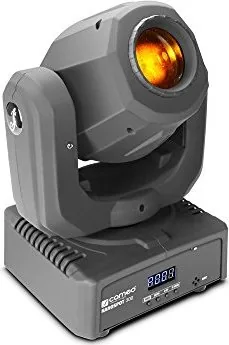
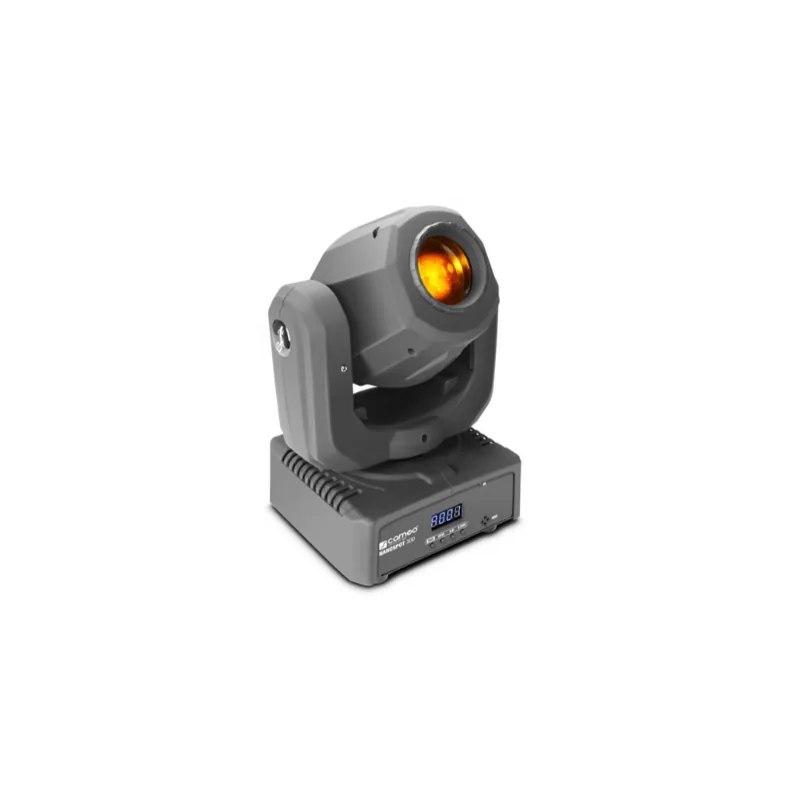
Cameo NanoSpot 300 to kompaktowa ruchoma głowica stworzona do elastycznych, przyciągających uwagę pokazów świetlnych. Zaprojektowana wokół chłodnej białej diody LED o mocy 30 W łączy ostry snop światła, wyraziste zmiany kolorów i wszechstronne koło gobo w lekkiej konstrukcji, która sprawdza się na małych scenach, w mobilnych instalacjach, klubach i przestrzeniach eventowych. Mimo niewielkich rozmiarów oferuje ruch i kontrolę zwykle kojarzone z większymi oprawami.

Jedną z jej największych zalet jest elastyczność. Urządzenie obsługuje sterowanie DMX w trybach 5-kanałowym, 9-kanałowym i 11-kanałowym, co daje realizatorom oświetlenia prostą drogę zarówno do podstawowej konfiguracji, jak i bardziej szczegółowego programowania. Jeśli wolisz szybką obsługę, dołączony pilot IR ułatwia wyzwalanie kolorów, gobosów, efektów stroboskopowych, zmian jasności i programów pokazowych bez zagłębiania się w menu. Obsługuje też autonomiczne programy automatyczne, działanie aktywowane dźwiękiem za pomocą wbudowanego mikrofonu oraz synchronizację master/slave dla skoordynowanych efektów wielu opraw.

Zakres ruchu jest imponujący jak na mini oprawę: 540° w panoramie i 230° w pochyleniu. Oznacza to, że NanoSpot 300 może płynnie omiatać pomieszczenie lub precyzyjnie utrzymywać się na wybranym celu. Koło kolorów oferuje siedem kolorów oraz pozycję otwartą, a koło gobosów zapewnia siedem gobosów plus pozycję otwartą, co ułatwia tworzenie dynamicznych wiązek, teksturowanych efektów i szybkich przejść. Soczewkę projekcyjną można również ustawić ostrość dla różnych odległości rzutu, co daje przydatną kontrolę w realnych zastosowaniach.

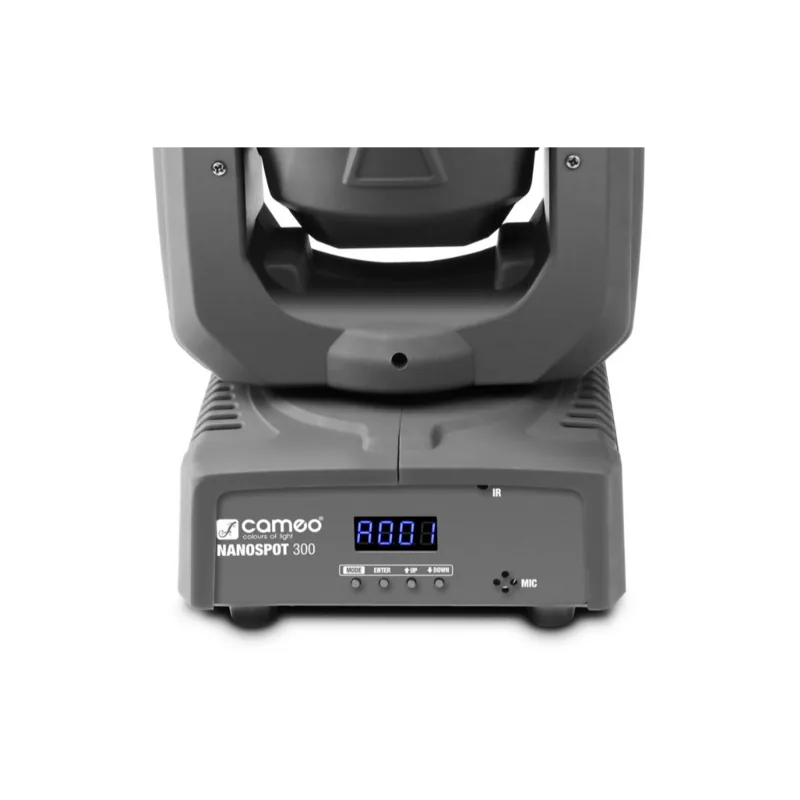
Instalacja jest prosta i praktyczna. Oprawa ma gumowe stopki do ustawienia na podłodze, a także uchwyt omega i oczko bezpieczeństwa do montażu na kratownicy. Czterocyfrowy wyświetlacz LED i cztery przyciski sterujące zapewniają bezpośredni dostęp do ustawień adresu, trybów pracy, preferencji systemowych i wyboru programu. Do zastosowań eventowych wewnątrz pomieszczeń jest to kompaktowe narzędzie, które łączy mobilność, kontrolę i efekt wizualny.

Uwagi

  • Przeznaczona do użytku wewnętrznego i profesjonalnych zastosowań oświetleniowych.
  • Najlepsze rezultaty daje odpowiednie chłodzenie, staranny montaż i uporządkowane prowadzenie kabli.
  • Terminatory DMX i prawidłowe adresowanie pomagają utrzymać niezawodny przepływ sygnału.
M: GO-GEM-FL-25

© Copyright 2026 Manual.ly